
A B2B product design project rethinking how cybersecurity teams monitor and manage risk, evolving a static dashboard into a dynamic system that visualizes threat lifecycle, actions taken, and trust metrics.
Overview
TYPE
SaaS Product Design
ROLE
Lead Product Designer
TOOL
Figma
SKILL
UI/UX Design, User Research, Data Visualization
project snapshot
Goal
Challenge
Outcome
Goal
Create a dashboard that clearly shows how URLs and domains move through the three lifecycle phases, connects related data sources, and presents high-level insights that are both easy to understand and actionable for faster decision-making.
IMPACT ANALYSIS
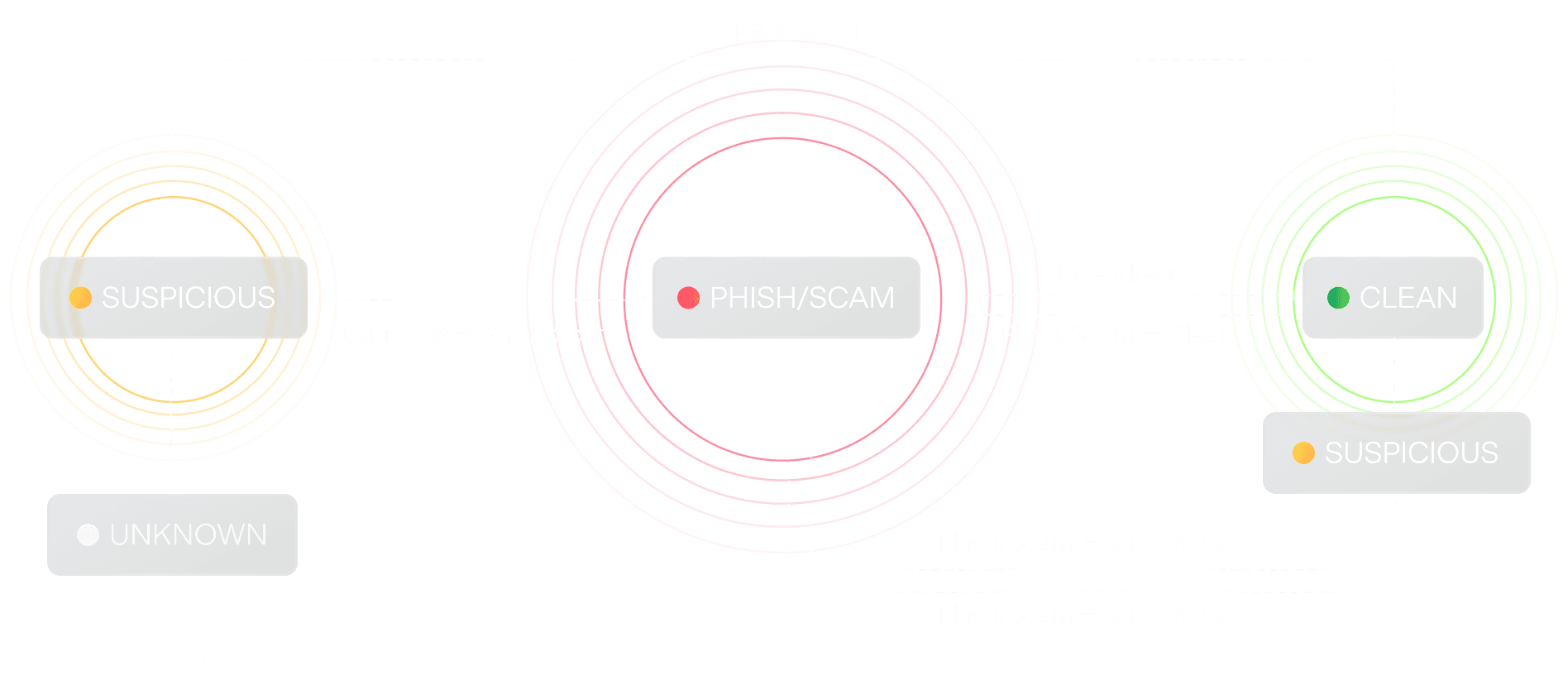
URL & DOMAIN LIFECYCLE
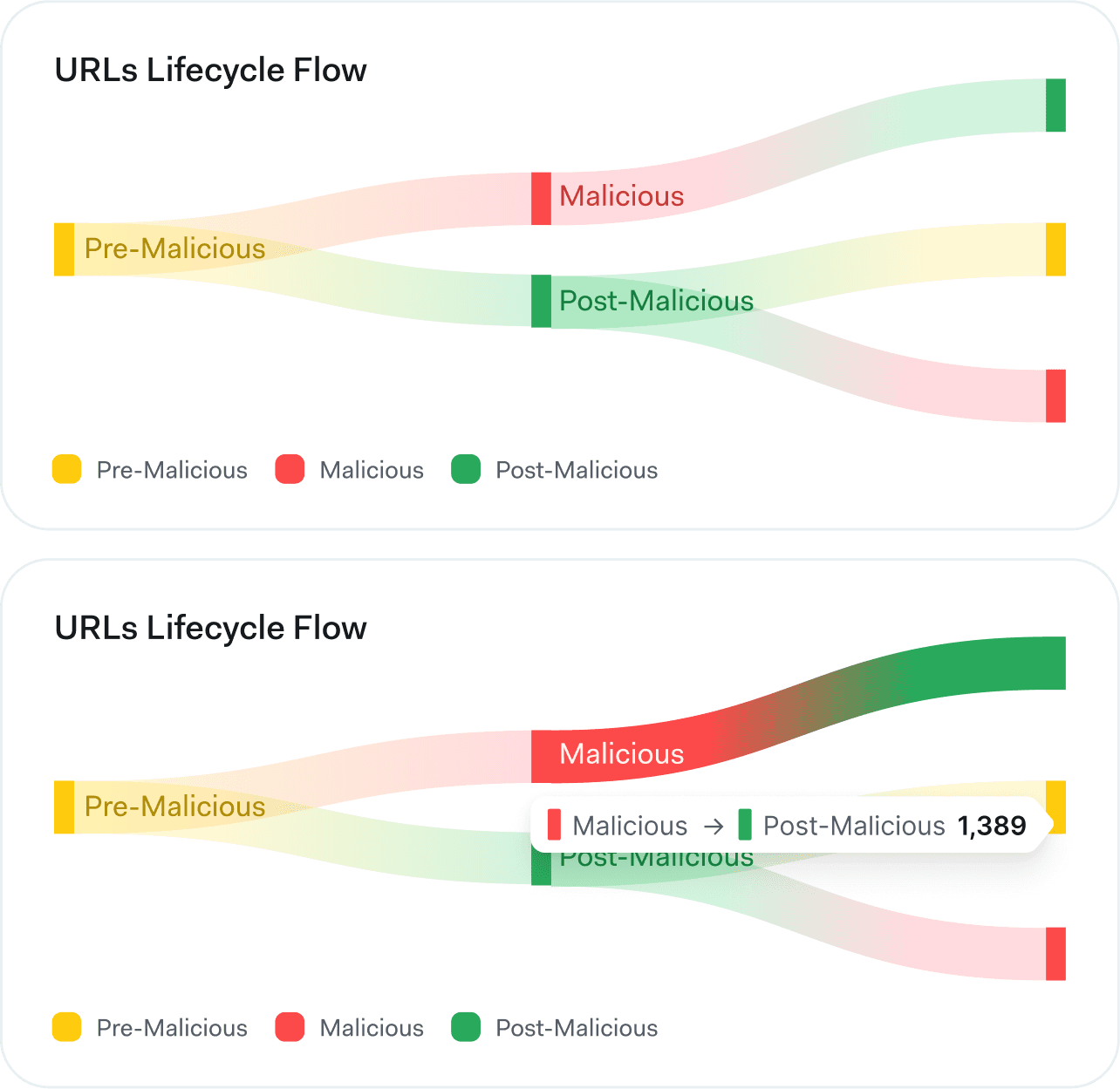
This lifecycle diagram maps how monitored domains move between states. Suspicious, Phish/Scam, and Clean, through scanning, takedown actions, and ongoing monitoring.

Problems to Solve
dashboard audit
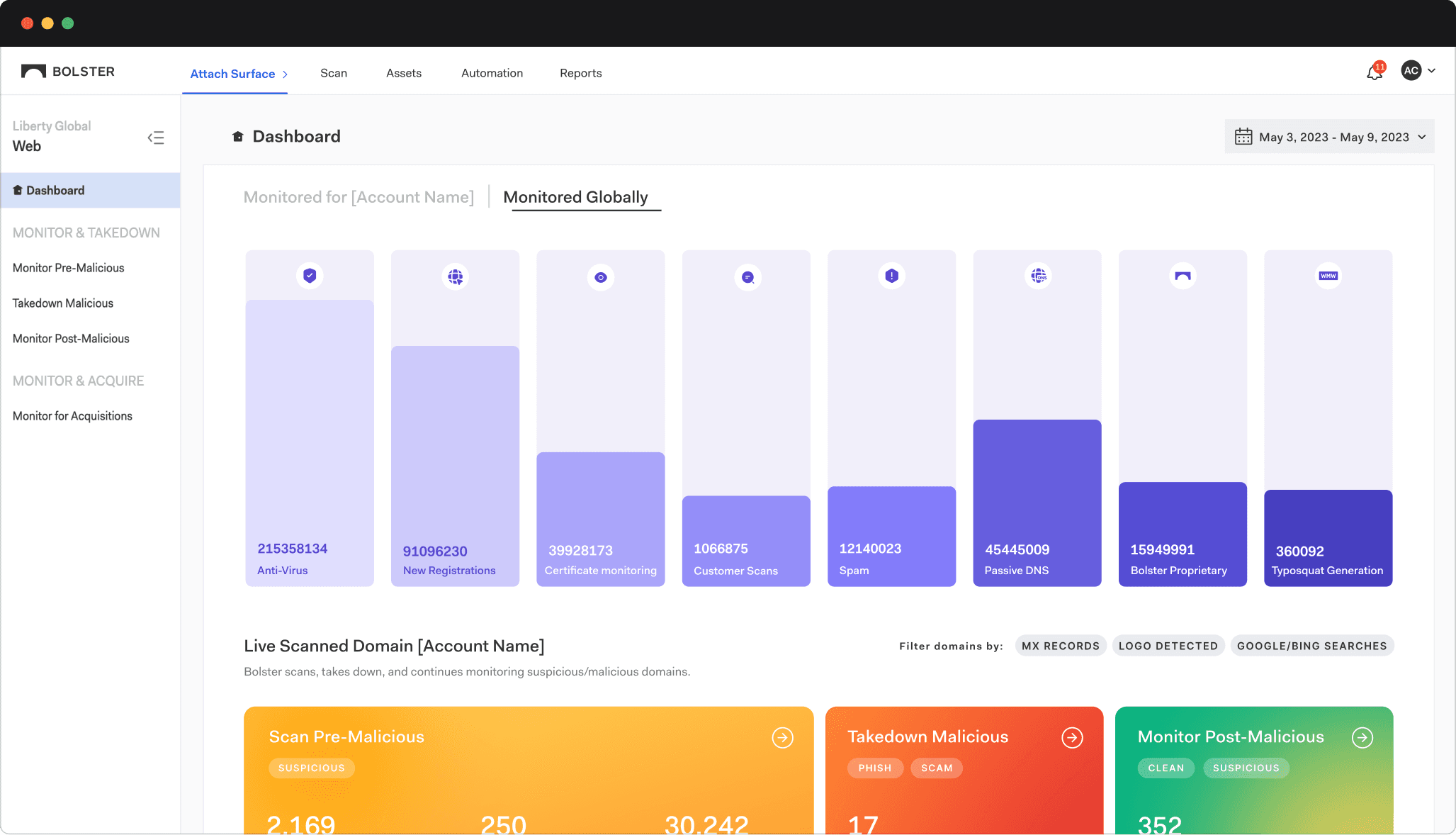
Overuse of Purple
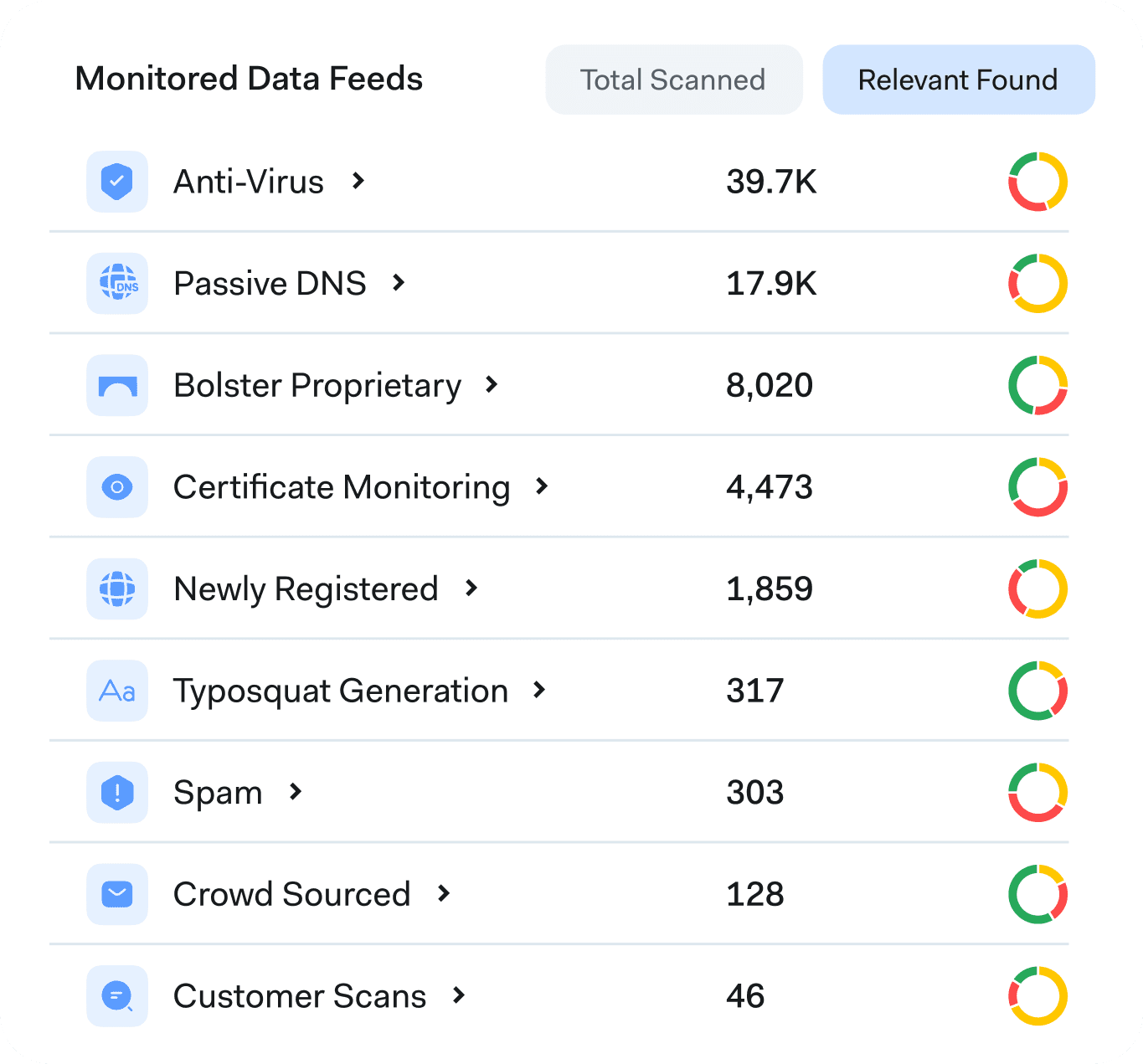
Nine data feeds in similar shades created confusion.
Hard-to-Read Numbers
Large digit formats reduce readability and make data harder to interpret quickly.
Lack of Clear Correlation
The interactive bar graph updates the Live Scanned Domain section, but this connection is not visually conveyed.
Static & Disconnected Cards
Cards remain static and disconnected, offering no visual cues about how data moves or transitions between lifecycle stages.
Hidden Live Scanned Domain Section
Due to the screen height, part of the [Live Scanned Domain] section is hidden, reducing its immediate visibility and making it harder for users to notice changes when interacting with the bar graph.
Design
Adaptive. Connected. Insight-Driven.
01
Final Design
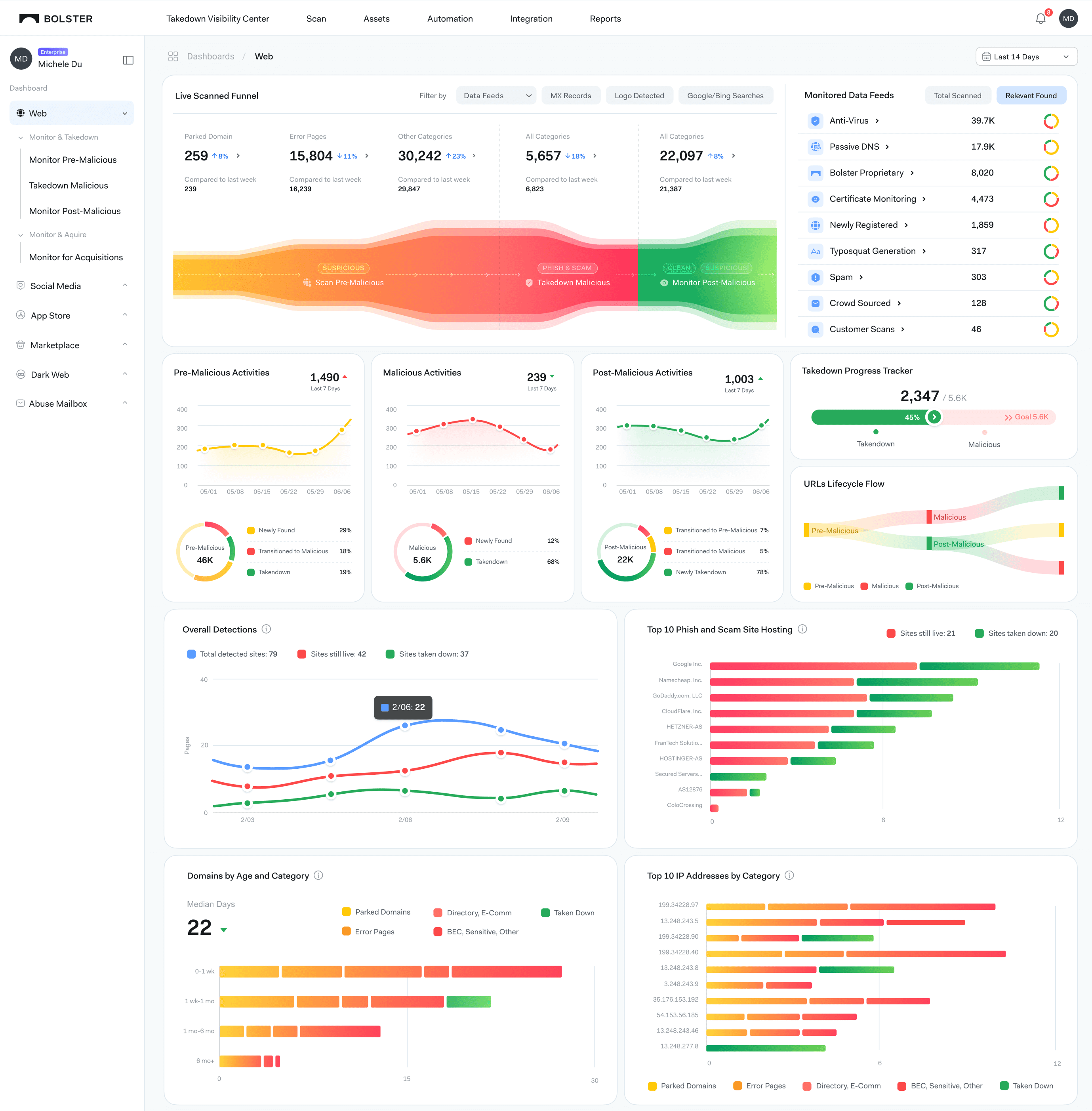
The redesigned layout guides the eye logically—from monitoring coverage, to lifecycle transitions, to operational impact. Dynamic interactions connect related data, ensuring users always understand the “what” and “why” behind each number.
02
Smart Leaderboard
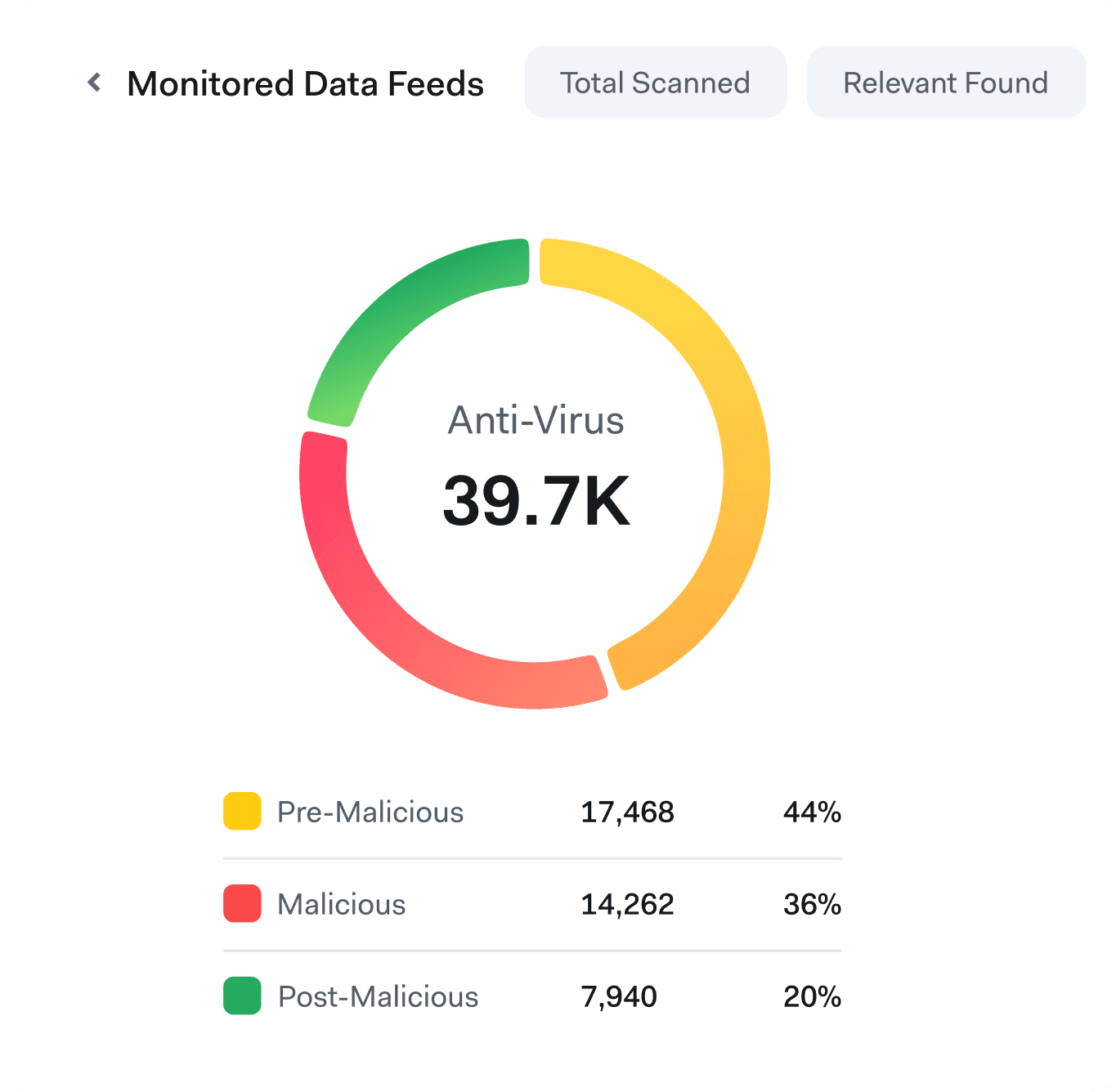
Less critical context, such as feed rankings and coverage depth, is condensed into a slim leaderboard. This lets users see the bigger picture without distraction. Mini circle graphs double as navigation—linking directly to deeper lifecycle breakdowns.
03
Data Feed Cards
Each feed now has an interactive card showing its contribution across lifecycle phases. Users can instantly compare performance or investigate anomalies without leaving the main view.
04
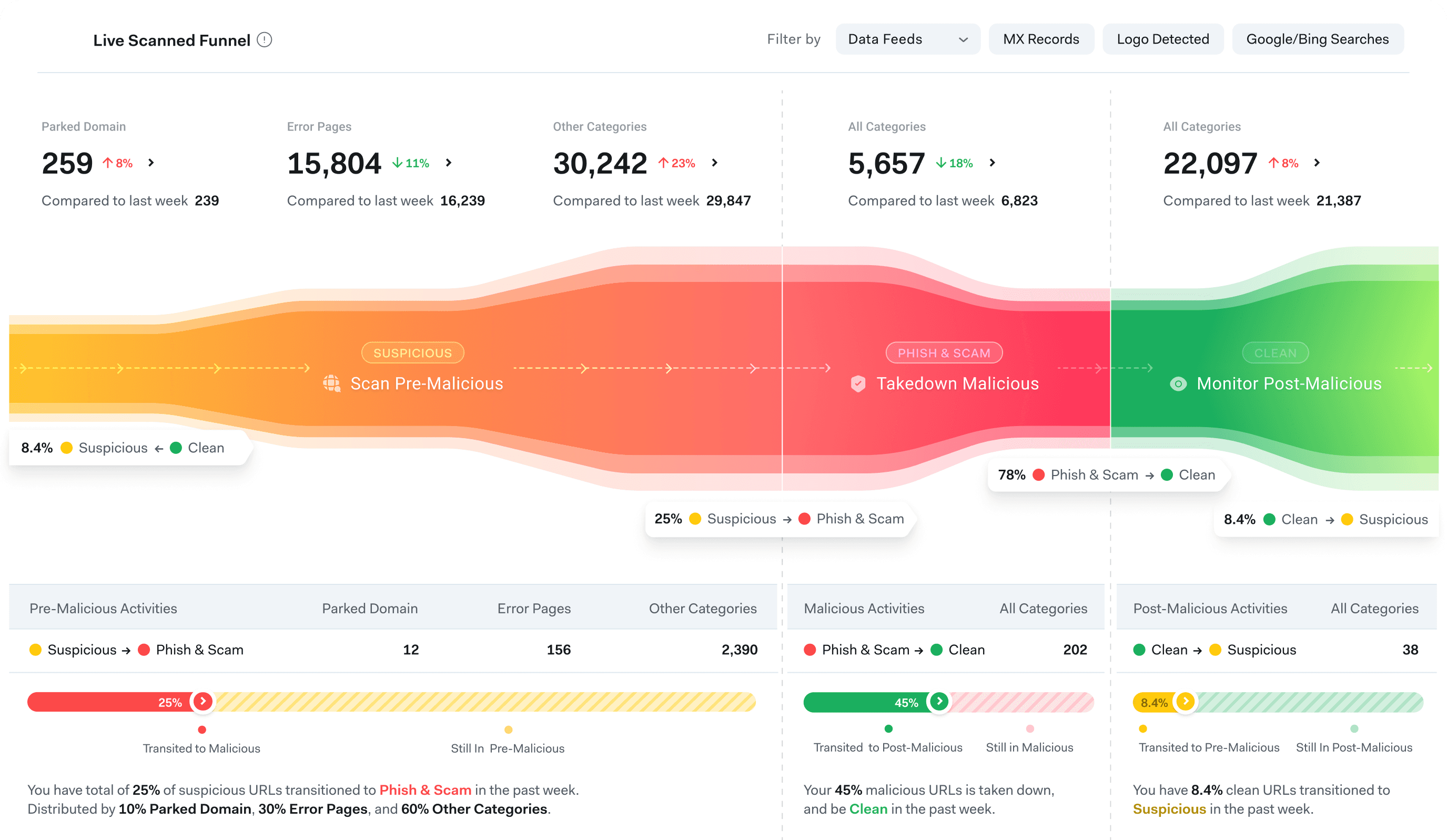
Lifecycle Funnel
Replaced the static funnel with a Sankey-inspired diagram that shows exactly how domains progress between Pre-Malicious, Malicious, and Post-Malicious states—making the lifecycle tangible and trackable.
05
Trends & Change Insights
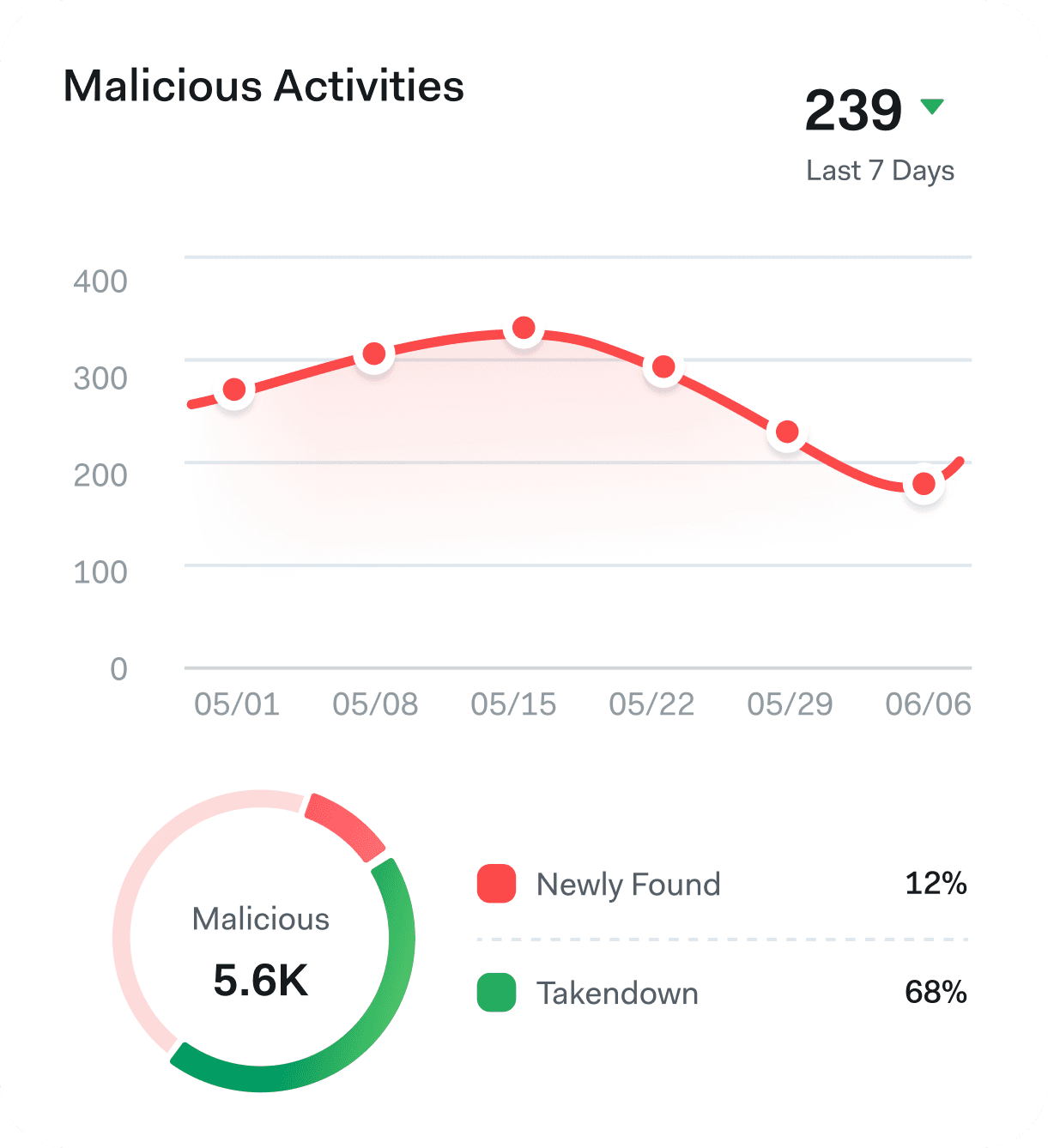
A dedicated widget surfaces percentage shifts, emerging threats, and movement trends within each phase. This change context answers the “what’s new?” question without extra clicks.
06
Progress Tracker with Directional Cues
This design exploration uses progress bars and directional arrows to make state changes instantly visible. The tracker quantifies transitions between lifecycle stages—such as Suspicious to Malicious or Malicious to Clean—while arrows guide the eye through the flow. The combination of visual progress and directional indicators helps users quickly grasp both the scale and direction of change without deep-diving into raw numbers.
07
Alternative Exploration
Explored replacing the bar graph with clean, numeric data cards. This simplified the visual load and allowed users to see key metrics at a glance. Each card is interactive and can be filtered by data feed for more focused monitoring. While the approach improved clarity, the lack of visual variety made the interface feel overly static and number-heavy.
08
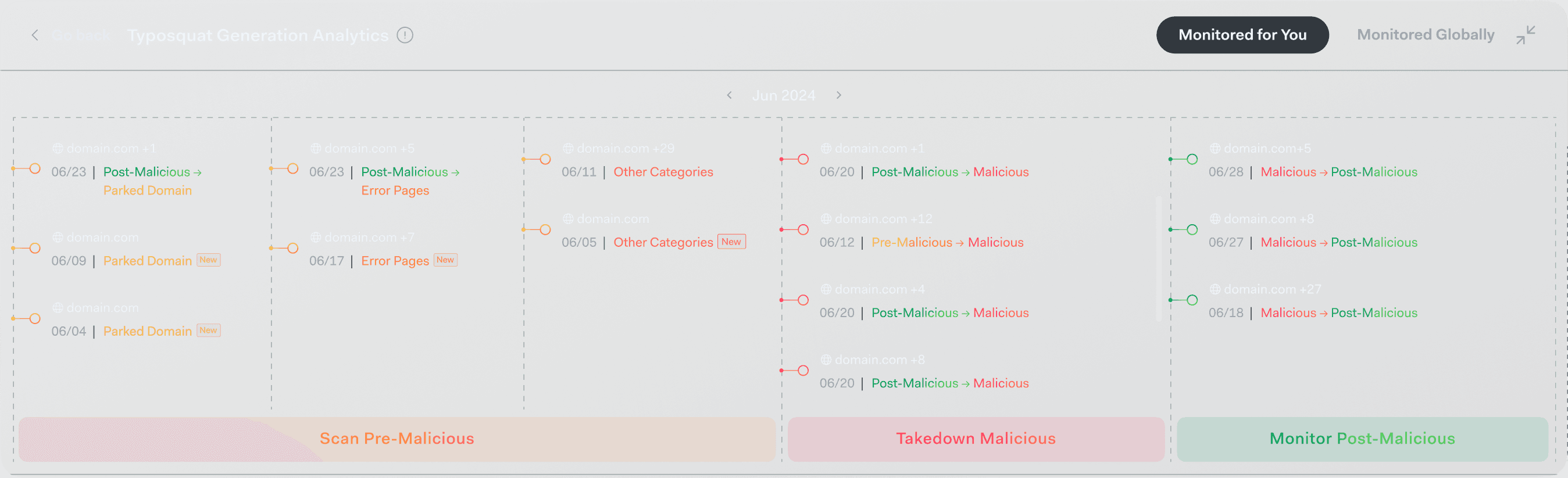
Micro-Timeline for Deep Dives
For granular cases, a domain-level timeline logs every status change, supporting investigation and audit needs.
09
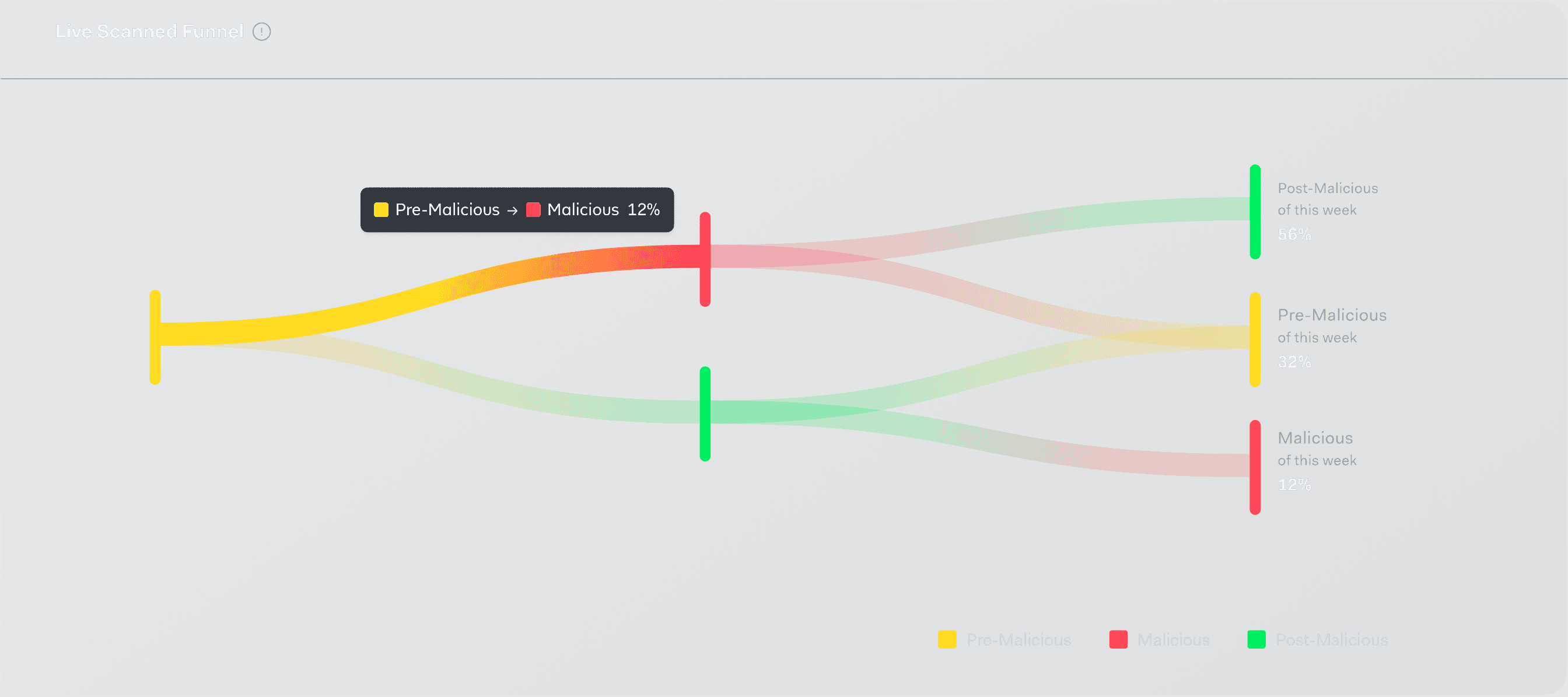
Full Flow Overview
A complete lifecycle flowchart view ties together all monitoring data, change activity, and takedown progress into one operational snapshot.